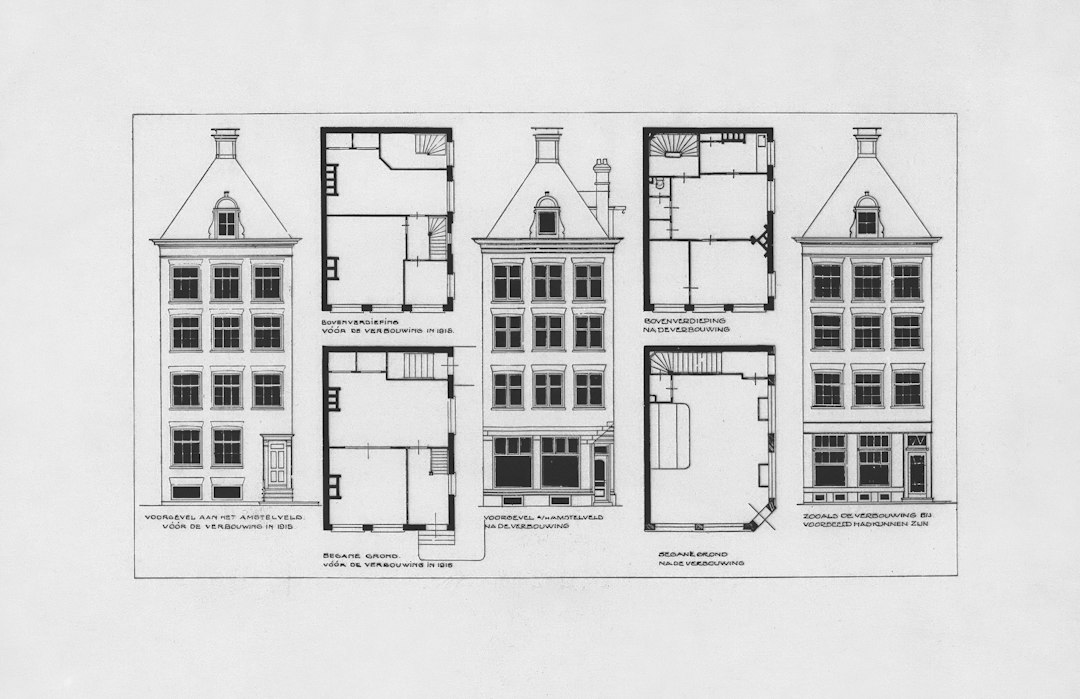
Floor plan symbols are the shorthand that lets an architect fit a whole level of a building onto one sheet. A line with an arc is a door; a rectangle with a circle is a basin; a small letter code tells the contractor which window to install. Once you know the vocabulary, a plan becomes much easier to read.
This article sets out the most common symbols and abbreviations found on architectural floor plans, with a reference table. Conventions vary between offices and countries, and every good drawing set includes a legend, so treat this as a general guide and always check the legend on the drawings you are using.
Why floor plan symbols are standardised
Drawings are a contract document. A builder, a quantity surveyor, a plumber and an inspector must all read the same sheet and reach the same understanding. Standard symbols reduce ambiguity and keep drawings uncluttered. National and international drawing standards, and the CAD libraries built on them, have made many symbols broadly consistent, although each practice adapts details.
Symbols also scale. A door drawn at 1:100 is a simple line and arc; at 1:20 it may show the frame, leaf thickness and ironmongery. The meaning is the same, but the level of detail follows the scale. Our guide to architectural drawing explains how drawing types and scales relate.
Walls, structure and line weights
The heaviest lines on a plan are usually walls and columns cut by the plan’s imaginary horizontal plane. Hatching or tone inside the wall may indicate material: masonry, concrete, drywall or glazing. Columns are typically solid fills at grid intersections. Structural grids are drawn as thin chain lines with circled letters and numbers at their ends.
Lighter lines show things below the cut, such as floor edges, counters and kerbs. Dashed lines usually show things above the cut, such as beams, bulkheads and overhead cabinets, or hidden elements. These line-weight conventions are as important as any symbol, because they tell you what is solid and what is merely seen.
Doors, windows and openings
Openings are among the most frequently used floor plan symbols. A hinged door is a straight line for the leaf and an arc for the swing, which shows the hinge side and the direction of opening. A double door has two leaves and two arcs. Sliding doors are drawn as two offset lines, pocket doors as a leaf disappearing into a wall cavity, and bi-fold doors as a zigzag.
Windows are drawn as thin parallel lines within the wall thickness. Their type is not always obvious from the symbol, so they are tagged with a reference that links to a window schedule listing size, type and glazing. Casement windows may be shown with a small swing indication, and sliding windows with overlapping panes.
Common floor plan symbols at a glance
The table below summarises symbols you will meet on most residential and small commercial plans.
| Element | Typical symbol | What to check |
|---|---|---|
| External or structural wall | Thick double line, often hatched or filled | Material hatch; whether it is load-bearing (see structural drawings) |
| Partition wall | Thinner double line | Partition type reference |
| Column | Solid square, rectangle or circle at grid intersection | Grid reference and size |
| Hinged door | Line for leaf with quarter-circle arc | Swing direction, clear width, door tag |
| Sliding door | Two offset parallel lines, sometimes with arrow | Which panel slides, track position |
| Bi-fold or folding door | Zigzag lines | Stacking side and clear opening |
| Window | Thin parallel lines within wall | Window tag and schedule, sill height |
| Stair | Parallel tread lines with arrow and break line | Direction (up or down), number of risers |
| Water closet | Oval bowl with rectangular cistern | Clearance in front and to the sides |
| Basin or sink | Rectangle or oval with small circle for drain | Counter depth and tap position |
| Floor trap or drain | Small circle or square, sometimes with cross | Falls drawn towards it |
| Section marker | Line across plan with arrows and reference bubble | Section number and sheet |
| Detail reference | Circle with number over sheet reference | Which sheet holds the detail |
| Spot level | Small cross or triangle with figure | Datum used and level changes |
| North point | Arrow labelled N | Orientation for sun and rain |
Fixtures, services and electrical symbols
Sanitary fittings are drawn as simplified outlines of the real object: a water closet as a bowl and cistern, a shower as a square tray with a cross or drain, a bathtub as a long rectangle. Kitchen plans show sinks, hobs, ovens and refrigerators within counter outlines.
Electrical and lighting layouts are often shown on a separate plan or overlay to avoid clutter. Typical symbols include circles or crosses for ceiling lights, small semicircles or rectangles for switched socket outlets, an S with a line for switches, and specific marks for data points, smoke detectors and air-conditioning units. Because these symbols vary more between offices than architectural ones, the legend is essential.
Mechanical and plumbing drawings use their own sets of symbols for pipes, valves, ducts and equipment. Homeowners rarely need to read these in detail, but it is worth knowing they exist and that the architectural plan may not show every service.
Abbreviations you will see on plans
Abbreviations save space but can be cryptic. Usage varies, so check the legend, but the following are common in Singapore and other English-speaking drawing sets:
- FFL finished floor level; SSL structural slab level.
- CH ceiling height; FCL false ceiling level.
- RC reinforced concrete; RCC reinforced cement concrete in some practices.
- D1, W1 door and window tags referring to schedules.
- WC water closet; WM washing machine; FR fridge.
- AC or ACCU air-conditioning or air-conditioning condensing unit.
- DB distribution board; FT floor trap.
- UP / DN direction of stairs or ramps.
- TYP typical, meaning the note applies to similar locations.
- NTS not to scale.
Some abbreviations differ between architectural and structural drawings. On structural drawings, for example, beam and column marks, reinforcement notation and slab references follow engineering conventions that are not used on architectural plans.
Reading symbols in context
Symbols are only part of the story. A plan shows what is there; it does not explain why. Thick walls may be structural or may simply house services. A door swing may conflict with a cabinet only visible in elevation. A floor trap may need falls that change the level of the floor finish.
For anyone planning alterations, the most important limit is that architectural floor plan symbols do not reliably show which elements are structural. Before removing a wall, enlarging an opening or adding a heavy fixture, check the structural drawings and seek an engineer’s view. Our guide on how to read a floor plan covers the wider process of reading a plan step by step.
Frequently asked questions
What do the arcs on a floor plan mean?
An arc attached to a line represents a hinged door. The arc shows the path of the door as it swings, indicating which side it is hinged on and which way it opens.
What does FFL mean on a floor plan?
FFL stands for finished floor level, the level of the top of the floor finish. It is often given relative to a datum and may differ from the structural slab level, marked SSL.
Are floor plan symbols the same everywhere?
Many are broadly consistent because of drawing standards and CAD libraries, but details vary between countries and offices. Always check the legend on the drawing set you are reading.
How are windows shown on a floor plan?
Windows are drawn as thin parallel lines within the wall thickness and tagged with a reference such as W1. The tag links to a window schedule that gives the size, type and glazing.
Do floor plans show load-bearing walls?
Not reliably. Architectural plans may show walls of different thicknesses, but the structural drawings and a qualified engineer should be consulted before altering any wall.
Related reading
- Section Drawing in Architecture: How to Read and Use It
- Bahay Kubo: How the Traditional Filipino Stilt House Works
- Taliesin West: Frank Lloyd Wright’s Desert Home and Studio
- Robie House: Frank Lloyd Wright’s Prairie Masterpiece
Need help interpreting drawings before an alteration? Talk to our consultancy or get in touch.