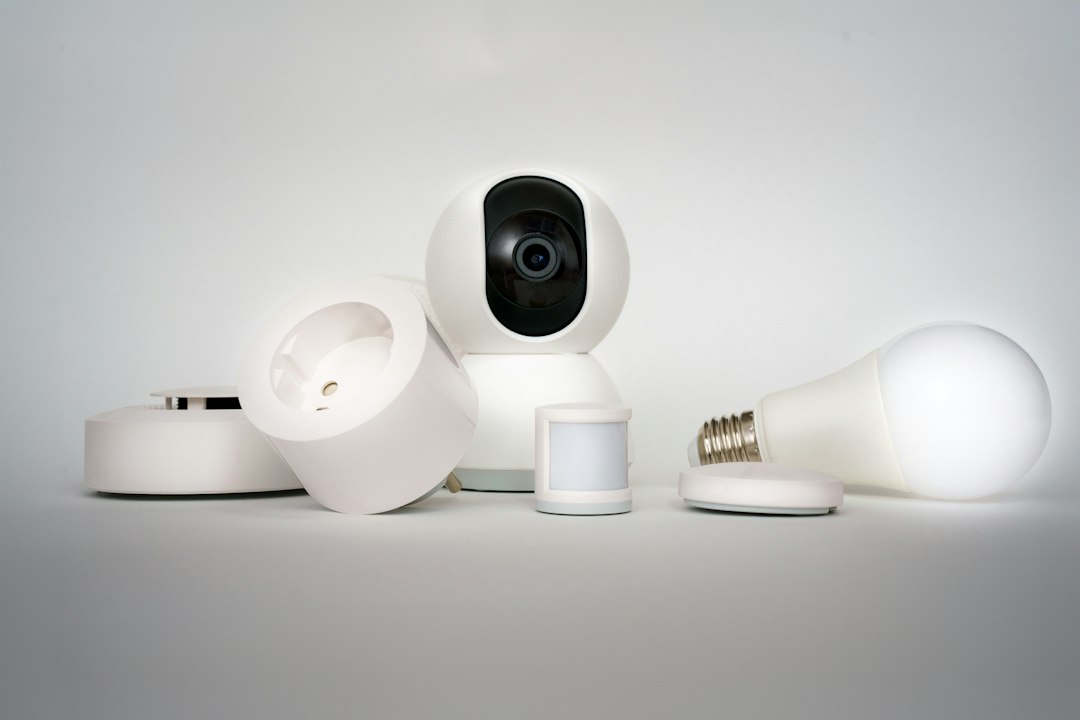
Lighting is where most households begin with connected technology, because the benefit is immediate: a lamp that turns on before you reach the door, a living room that dims to an evening scene with one tap. A smart light is any light whose output, whether on, off, brightness or colour, can be controlled remotely, by schedule or by sensors, rather than only by a plain wall switch.
The phrase covers several quite different technologies, and choosing between them affects how reliable the system is and how it fits the home’s wiring. This article explains the options, the design ideas that make connected lighting worthwhile, and what to plan during renovation. Installing switches, dimmers and drivers on mains circuits is electrical work, which in Singapore must be done by an EMA Licensed Electrical Worker (LEW).
Three ways to make a smart light
Smart bulbs
The intelligence sits in the lamp itself: an LED bulb with a built-in radio that responds to an app, hub or voice assistant. Smart bulbs are the simplest retrofit, since they screw or plug into existing fittings. Their weakness is the wall switch: if someone switches it off, the bulb loses power and cannot be controlled until it is switched back on. They also tie control to individual lamps, which becomes awkward in rooms with many downlights.
Smart switches and dimmers
The intelligence sits in the wall switch, which controls ordinary light fittings on that circuit. One smart switch can control a whole group of downlights, and the wall plate remains a familiar, reliable control for visitors. Many smart switches need a neutral conductor in the switch box, which older installations often lack, and dimmers must be compatible with the LED drivers they control.
Smart drivers and lighting control systems
In higher-end and wired installations, each fitting or group has a controllable driver connected to a lighting control bus, commonly DALI, managed by a central controller and wall keypads. This gives the best dimming quality and reliability but needs planning and cabling at the design stage. It is closely related to the wired systems described in our guide to home automation.
What smart lighting can do well
- Scenes. Preset combinations of fittings and brightness, such as “evening”, “dining” or “film”, recalled from one button. Scenes are the single most useful feature in living areas.
- Dimming. Lower light levels in the evening are more comfortable and save energy. Good dimming needs drivers and controls that are designed to work together.
- Tunable white. Fittings that shift colour temperature from cool to warm, for example cooler during the day and warmer at night.
- Sensors. Motion sensors for corridors, bathrooms and wardrobes, with low-level night lighting that avoids glare.
- Schedules and presence simulation. Lights that follow a routine when the home is empty.
- Accent and cove lighting. Connected controllers make LED strip lights in coves, shelves and under cabinets easy to integrate into scenes.
Colour-changing light is popular but less used once the novelty fades. Prioritise good white light, dimming and scenes; add colour only where it serves a purpose.
Designing the lighting before automating it
Automation cannot rescue a poor lighting layout. Start with a lighting design that layers ambient, task and accent light, places fittings where they are needed rather than in a uniform grid, and avoids glare. Our guide to home lighting design in Singapore covers these principles. Then group fittings into circuits or control zones that reflect how each room is used, so that scenes can be built from meaningful groups.
Think about controls at the same time. Every room still needs an obvious wall control that works without a phone. Place keypads at room entrances, bedside positions and the main door, and label scene buttons clearly. A system that only one member of the household understands will soon be bypassed.
Compatibility, flicker and reliability
Most problems with connected lighting come from mismatches rather than faults.
- Dimmer and driver compatibility. An LED fitting must be dimmable, and its driver must suit the dimmer’s control method. Incompatible pairs cause flicker, buzzing, limited dimming range or lights that do not switch fully off.
- Minimum load. Some smart switches need a minimum load to operate correctly; a single low-wattage LED may not provide it.
- Neutral wires. Switches that need a neutral will not work properly in switch boxes without one.
- Wireless coverage. Reinforced concrete walls and slabs weaken signals. Mesh-networked devices and well-placed hubs help.
- Local control. Systems that keep working when the internet drops are more dependable.
Ask the LEW and the lighting supplier to confirm compatibility between dimmers, drivers and fittings before purchase, and to test dimming across the full range before the ceiling is closed.
Planning smart lighting during renovation
Renovation is the time to make provision, even if you automate only part of the home at first.
- Run a neutral conductor to every switch position and use deep back boxes.
- Plan control zones with the designer, and wire each zone as its own circuit or group.
- Provide accessible positions for LED drivers and strip-light controllers, such as service openings in false ceilings or coves.
- Run data cabling or conduit for keypads and hubs if a wired system is being considered.
- Choose fittings with suitable ingress protection for bathrooms and outdoor areas.
In HDB flats, new lighting points and wiring must follow HDB’s renovation guidelines, and wiring must not be embedded in reinforced concrete slabs, beams, columns or structural walls, so routes are planned through false ceilings and partitions. Our guide to smart home wiring explains how designers handle these constraints. All mains work must be done by an LEW and tested before use.
Energy and comfort
LED lighting already uses far less energy than older lamp types, so the additional savings from automation come mainly from dimming, sensors in rarely occupied rooms, and lights that switch off when no one is home. The larger benefit is comfort: lower, warmer light in the evening, no fumbling for switches at night, and a home that feels considered. A well-planned smart light installation should feel simpler to live with than the switches it replaced, not more complicated.
Frequently asked questions
Are smart bulbs or smart switches better?
Smart bulbs are easiest to retrofit and suit lamps and small rooms, but they stop responding if the wall switch is turned off. Smart switches control whole groups of fittings and keep a familiar wall control, which suits rooms with many downlights. Many homes use both.
Why do my smart dimmed lights flicker?
Flicker usually means the LED fitting or its driver is not compatible with the dimmer, or the load is below the dimmer’s minimum. Check that the fittings are dimmable and matched to the dimmer type, and have a licensed electrical worker review the setup.
Do smart switches need a neutral wire?
Many do, because the switch needs a constant small supply to power its electronics. Older installations often lack a neutral at the switch box, so check before buying, or have a licensed electrical worker run one during renovation.
Can I install smart lighting in an HDB flat?
Yes. Smart bulbs need no wiring changes, while smart switches and new lighting points are electrical work that must be carried out by a licensed electrical worker and follow HDB’s renovation guidelines.
Related reading
- Sanitary Fittings Explained: Types, Materials and Rules
- Wall Hung Toilet: Carrier Frames, Fixing and Installation
- Bidet Spray Guide: Parts, Installation and Leak Prevention
- Pot Filler Taps: How They Work and Whether You Need One
Planning ceiling voids, coves and cable routes for a lighting upgrade and want the structure checked? Talk to our consultancy or get in touch.